Home Automation
Find out what can actually be unified, what is worth automating, and when smart-home plans need network or wiring work behind the scenes.
Home Automation in Huntsville, AL
The right automation setup should reduce friction, not create a pile of apps and routines nobody wants to manage. This page is for people who want to know what can actually be unified, what is worth automating in day-to-day life, and when a network or wiring issue will limit the plan.
The real question is not how many devices can be made 'smart.' It is whether the system will simplify life or create more steps than it removes.
Best for
This is the right path when the main goal is simpler day-to-day control of locks, lights, thermostats, alerts, scenes, or a few connected systems that should behave like one setup instead of several separate gadgets.
Good fit / not a fit
- Good fit: you want a small number of useful automations that reduce steps and device juggling.
- Good fit: you want locks, lighting, thermostats, or notifications to work together in a more organized way.
- Not a fit: the main problem is weak Wi-Fi or unstable network performance across the property.
- Not a fit: you mainly need alarm monitoring, cameras, or access control rather than convenience and unified control.
Typical jobs
- Bringing locks, lighting, thermostats, and alarm actions into a simpler routine flow.
- Reducing app clutter by choosing a clearer control path for the devices that actually matter.
- Adding a few scenes such as away, evening, or bedtime without overbuilding the setup.
- Sorting out which smart devices belong in the plan and which ones should stay manual.
What can actually be unified?
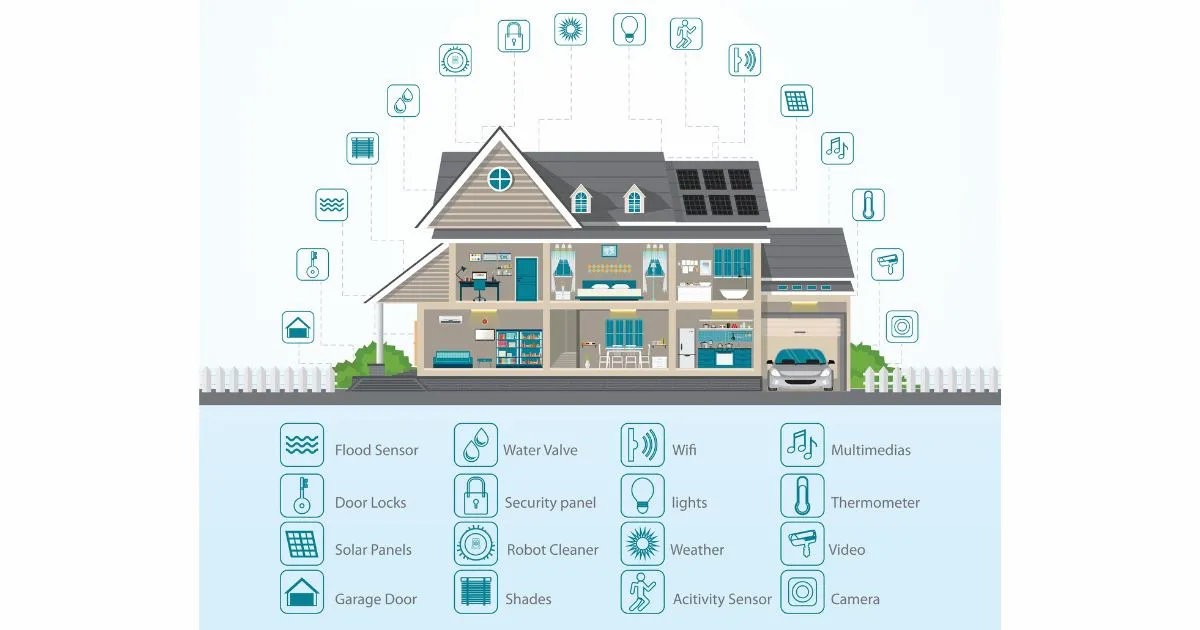
Locks, lights, thermostats, selected sensors, cameras, doorbells, and alarm actions can often be brought into a more unified flow. What should be unified depends less on brand marketing and more on whether the devices play well together and whether you will actually use them as one system.
A good automation plan is selective. The point is not to centralize every possible device. The point is to make the high-use parts of the house easier to control.
What is worth automating and what is not?
Automations that save repeated effort usually hold up best. Locking up at night, adjusting lighting by routine, managing away mode, and tying a few actions together around arrivals and departures are usually worth doing. Overly clever routines that fire constantly or depend on too many conditions are usually the first things people stop trusting.
The better approach is a short list of useful automations that make sense even when someone other than the original buyer is using the system.
Will this simplify life or create app chaos?
That depends on whether the plan reduces the number of places you need to look and the number of steps needed to do common tasks. If the answer requires three apps, five routines, and constant troubleshooting, it is probably not a simplification.
A good plan respects what should stay simple. Sometimes that means not automating a device just because it is possible.
When do wiring or network changes matter?
Automation depends on stable networking and, in some cases, better device placement or power planning. If the Wi-Fi is weak, if certain parts of the house have poor coverage, or if a future expansion depends on better cable paths, that needs to be addressed before the automation feels dependable.
In new construction or larger remodels, wiring decisions made early can make automation cleaner and cheaper later.
What affects scope or cost?
Scope changes with the number of device types, whether the property already has compatible gear, how much control needs to be unified, and whether network or wiring work sits underneath the automation request. A tighter, useful plan is usually better than a long device list that sounds bigger than it feels in daily use.
Before you buy
- List the routines you repeat most often and where a smart action would actually save time.
- Decide which devices really need to be in the same control flow.
- Think through whether the network is already stable enough to support the plan.
- Start with a few high-use automations instead of trying to automate every room at once.
Process
- We map the devices and routines that actually matter to you.
- We decide what belongs in one control flow and what should stay simple.
- We check the network and any wiring limits before the automation plan grows.
- We set up the automations, test them, and make sure the finished system is usable without constant babysitting.
FAQ
- Not everything that can be automated should be automated.
- A smaller, dependable automation plan is usually better than a large fragile one.
- Network stability matters more than people expect in smart-home work.
- Unified control only helps if it actually reduces app and routine clutter.
Need help deciding what is worth automating?
Tell us which devices you want to tie together and what daily routines you want to simplify. That usually makes it clear whether the job is a useful automation plan or just app clutter waiting to happen.